
How-to Guide

Stravis Group Limited
Corporate credit cards sit in an awkward place in many accounting systems. They are not quite a bank account and not quite a simple expense, and getting the setup wrong leads to reconciliation headaches, unclear liability positions, and month-end pain. Business Central handles credit cards well when configured correctly. This article covers the recommended setup, the accounting logic behind it, and the two main methods for entering credit card transactions.
The cleanest approach in Business Central is to set up each corporate credit card as a Bank Account within BC, just as you would a normal bank account. This might feel counterintuitive - a credit card is a liability, not an asset - but it mirrors how bank reconciliation works and gives you all the same tools: statement import, automatic matching, and reconciliation posting.
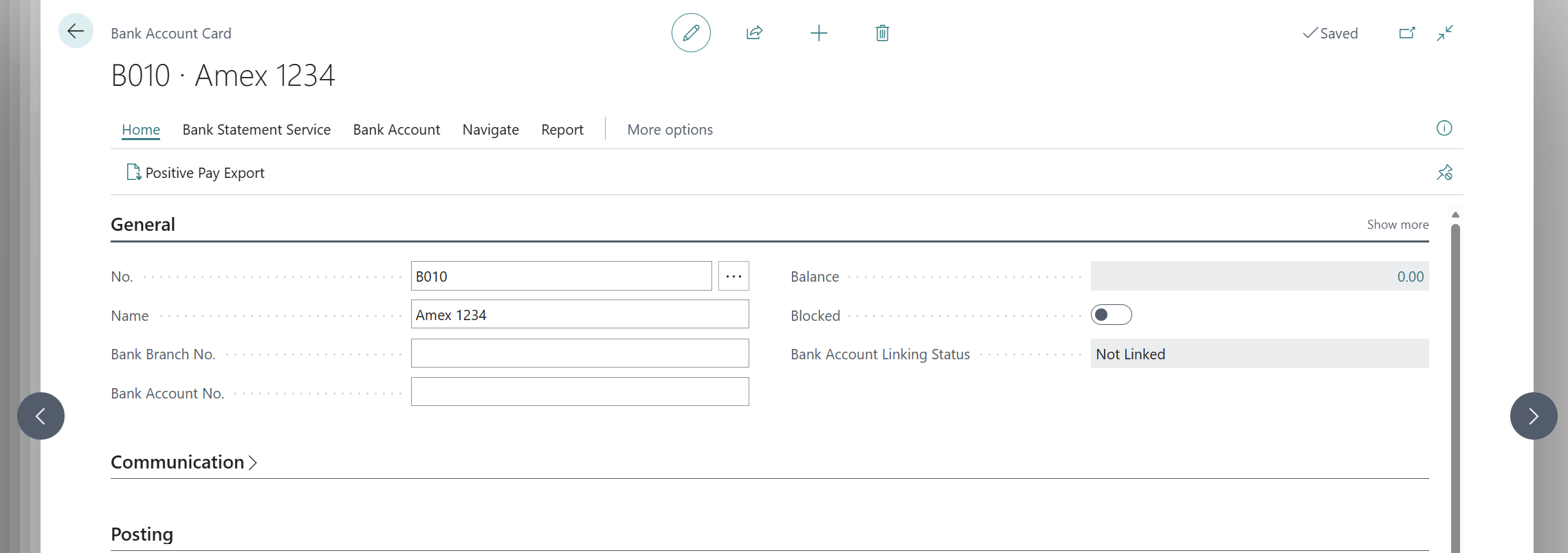
Navigate to Bank Accounts and create a new card for the credit card. Give it a clear name (e.g. AMEX Corporate 1234) and set the currency if it is a foreign currency card.
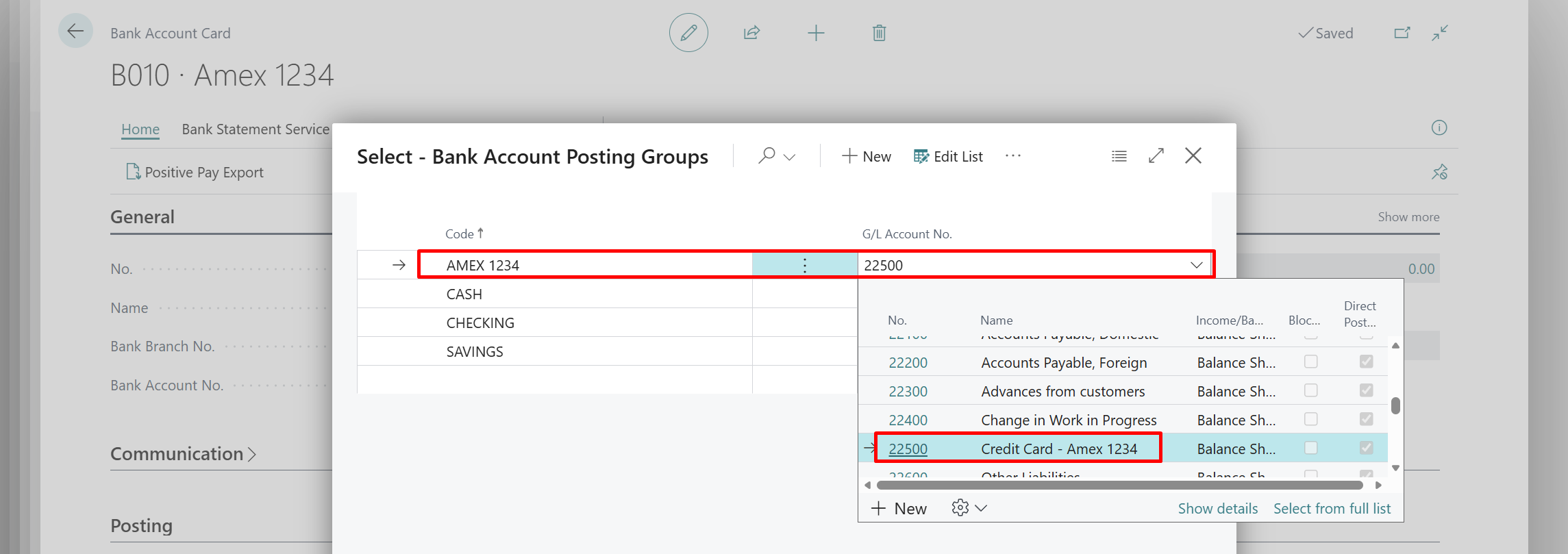
The key configuration step is the Bank Account Posting Group. This links the bank account to a G/L account, meaning every entry posted through the credit card bank account hits the correct balance sheet position.
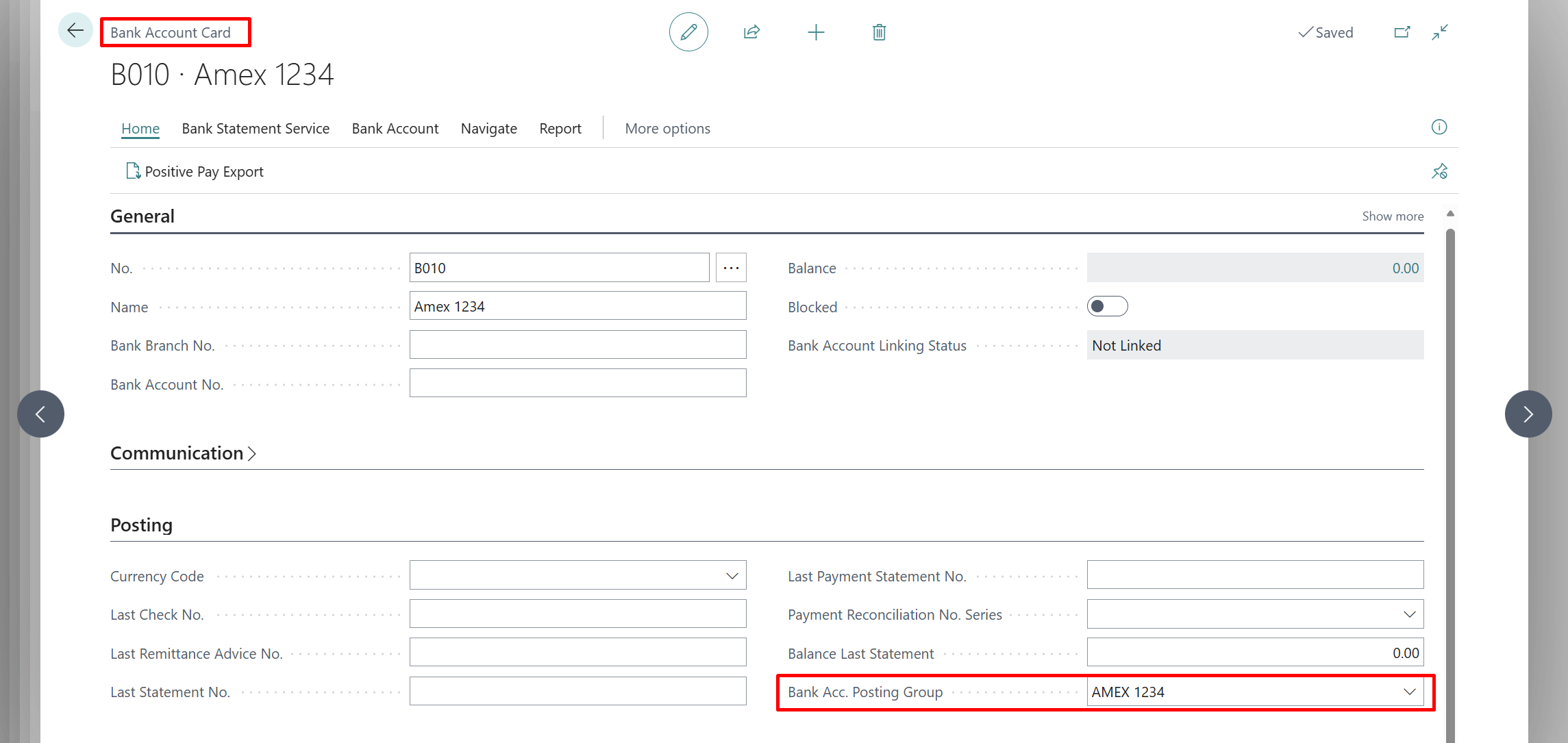
Every bank account should have one bank account posting group created, then assigned a G/L account dedicated to that bank account or credit card. Once the posting group is created and the G/L account is set, assign the appropriate bank account posting group on the new bank account card for the corporate credit card.
For a credit card, you have two common approaches for the G/L account mapping:
Option 1 - Liability G/L Account (recommended)
Set the posting group G/L Account No. to a dedicated liability account, for example Credit Card Payable - AMEX. This correctly reflects that the outstanding credit card balance is money owed to the card provider.
Option 2 - Contra Asset
Some businesses set this up as a negative asset (contra account). This works but is less intuitive and can complicate balance sheet presentation. Some clients prefer this because it positions the account alongside their other bank accounts on the chart of accounts.
Set up the Bank Account Posting Group:
Assign the Bank Account Posting Group to the Bank Account card:
When you receive and pay the credit card statement, post a Payment Journal entry:
This transfers the balance from the operating account to the credit card account, reducing the liability on the balance sheet. The credit card bank account balance should then sit at or near zero (or reflect any transactions since the statement date). This process also creates the required entries to match for bank account reconciliations on both the credit card and the standard bank account it was paid from.
The Payment Reconciliation Journal is the most efficient method for teams processing a lot of credit card transactions. It is the same tool used for bank statement reconciliation but optimised for payment matching and G/L coding.
For each line, BC posts a debit to the expense G/L account mapped and a credit to the Credit Card Payable liability account (via the bank account posting group). Your P/L captures the expense correctly, and the balance sheet liability grows by the same amount.
Because you have set the credit card up as a bank account, you can run a standard Bank Account Reconciliation against it. Import the statement, match against posted entries, and confirm the closing balance matches the card statement. This is the same process as reconciling your operating bank account - consistent and auditable.
For businesses where employees submit expenses against a corporate card, expense reports are a better fit than the Payment Reconciliation Journal, as they capture the employee, the purpose, and supporting documentation alongside the transaction.
Business Central includes a basic expense management module. Employees submit expense reports through the BC interface or the BC mobile app, attaching receipts and categorising spend. Finance approves and posts the report, which creates the appropriate ledger entries.
The native module is functional but limited for corporate credit card usage. It works well for employee reimbursable expenses. We expect this to have features added and change in coming updates.
For most mid-market businesses, a dedicated expense management tool integrated with BC delivers a significantly better experience at this point in time. Common options include: